Beating the Holiday Bulge with DealDash

Did you or a family member overindulge a little too much this holiday season? Maybe it’s time to trim down with a little help from DealDash.

There are a couple of different ways that you can accomplish this, diet and exercise, and of course the best course of action is to use both in conjunction. It will make you look better and feel better, too.

For starters, you might want to start with some light stretching and mild exercise using something like an exercise ball. You can get an exercise ball on DealDash by following this link here. If you would like to try something a little more difficult once you have mastered the exercise ball, how about trying one of the new compact sized elliptical trainers? They are small enough to store in a closet, but they provide a lot of the features the full sized elliptical trainers provide such as strides per minute, total number of strides, exercise time and calories burned while you exercise. You can find an auction for a compact elliptical trainer on DealDash here.

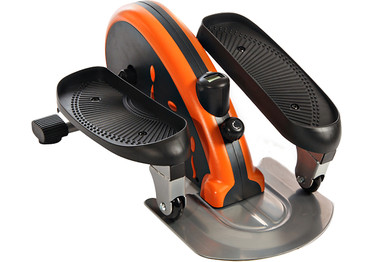
 

NordicTrack 65 cm Exercise Ball (Blue)InMotion Elliptical Trainer

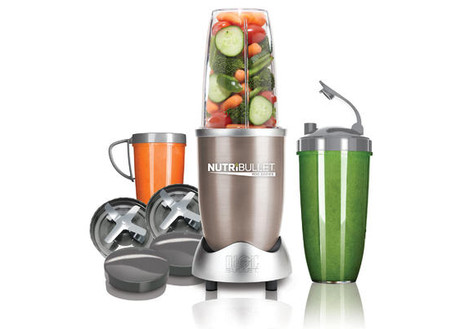
Next up is trying to eat right and get all of your nutrients and try to keep the calories low. A great way to do this would be to try and replace breakfast or lunch with a delicious, healthy smoothie. It’s possible to make a smoothie with a plain classic blender, but its much easier and faster to use something like a Magic Bullet. The Nutribullet Magic Bullet is a blender that is designed to be used as a space saving replacement for other appliances such as a blender, food processor, and electric juicer. The Magic Bullet is compact in size and consists of an electric blender base with a number of attachments. Here is a list of the attachments:

  •  screw-on blade attachment
  • two mixing cups, one short and one tall
  • two handled cups, called by the manufacturer “Party Mugs”, which can be used to blend individual drinks
  • lids for the cups, intended for storing foods
  • an instruction manual which also contains a recipe bookNutriBullet Pro 900 Series

If you’d like to try and slim down with smoothies, DealDash can help you with Nutribullet auctions here.

Of course, when you use diet and exercise together you will see results much faster than just doing one or the other. Start small, go easy, and build your way up to health and fitness with a little help from DealDash. Good luck and happy bidding everyone!


What Will We Do With All of These Presents?

Let’s face it, as wonderful as Christmas is, the aftermath can be a mess! What are you going to do with all of your extra stuff? Let DealDash help.

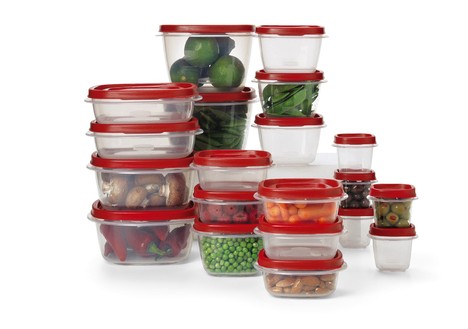
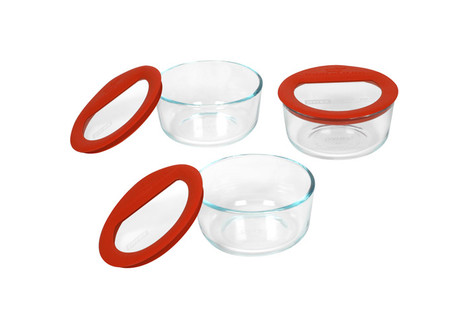
First off, if you hosted your family’s Christmas celebration, I bet you have a lot of food left. So let’s talk about food storage first. I don’t know about you, but I really don’t like it when my foods are stored sharing containers in the fridge. The flavors and smells kind of meld together and I just don’t care for it. So when I am hosting people in my home I make sure that I have plenty of extra food storage containers handy and ready to go. If you are in need of food storage containers check out DealDash’s Kitchen & Appliances section, there are a few different options that come up frequently for auction. I personally prefer the glass ones, but they do tend to be a bit more expensive than their plastic counterparts, and also get very hot to touch after you have heated them in the microwave.

Rubbermaid 40-Piece Food Storage SetPyrex Premium Glass Lids Storage Container Set (Set of 3)

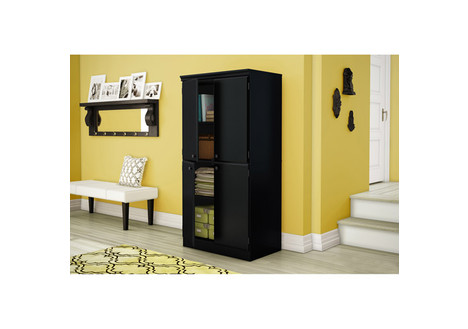
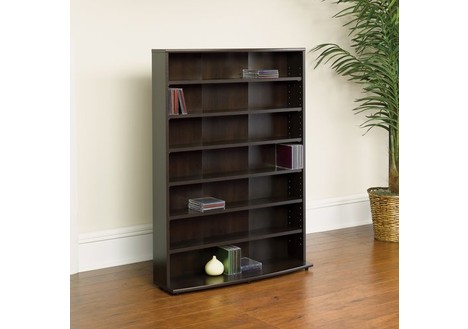
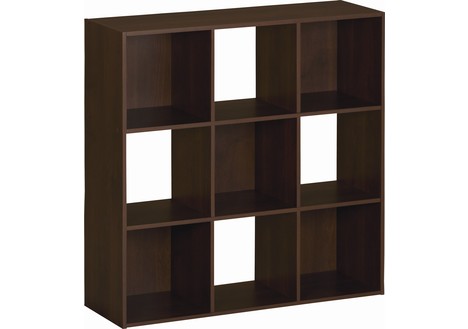
How about all of those new DVDs, Blu-Rays, books, and video games that you or your kid’s might have gotten for Christmas? You might need to expand your entertainment storage a little bit by getting a new bookshelf or cabinet so you can display your new items. DealDash has a ton of different options, try browsing the Home & Office category on DealDash. I know that one of my husband’s biggest complaints is that we have too many DVDs and books just randomly stashed around the family room and kid’s playroom. That problem is easily solved by getting one of these great storage units.

Systembuild 9 Cube Storage - Resort CherrySouth Shore Storage CabinetSauder O'Sullivan Multimedia Storage Tower


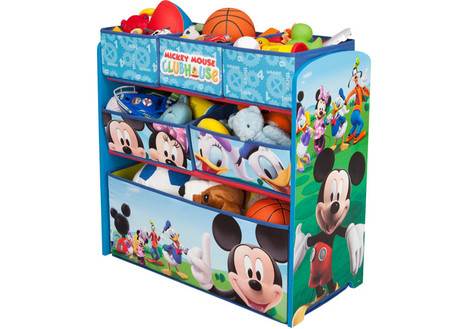
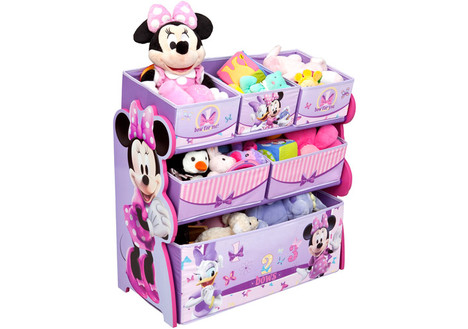
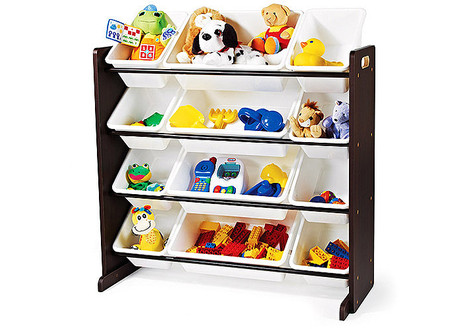
Lastly, and probably the most prolific if you have younger children – toy storage! The Toys, Kids, & Baby section on DealDash has a ton, of course! There are different toy storage options for both boys, girls, and also in neutral colors. At my house we have one of each of these options – it’s a great way to be able to organize the toys that specifically belong to either my son or daughter, and then the neutral bins I store the toys that they like to share together, such as the Legos and other building toys, art supplies, puzzles, and other things.

Delta Children Disney Mickey Mouse Toy OrganizerDisney Multi-Bin Toy OrganizerTot Tutors Toy Organizer

I hope that you and your family had a wonderful Christmas together and got everything that you were wishing for! Good luck and happy bidding everyone.


Merry Christmas Everyone!

This is my last blog to you before Christmas, tomorrow is Christmas Eve! It truly is a wonderful time of year and we all have so much to be thankful for.

Personally, I have had a wonderful year this time around, and though the year isn’t quite over yet I keenly feel extremely thankful around Christmas time. I would also like to thank DealDash for having so many wonderful auctions this year, I have won some very nice items, and this has allowed me to treat my family and friends to much better gifts than I would have normally been able to get them.

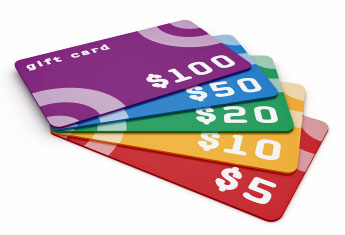
In addition to the actual goods that I have been able to get them, I have also gotten many gift cards at a great discount, at one point this year I had over $500 in Toys R Us gift cards that I had gotten from DealDash for a fraction of that amount. I believe that I used the BIN (Buy It Now) feature a couple of times, however when you use the BIN feature you get all of your bids back when you buy the gift card at face value, as well as free shipping AND you get to keep your “time as the highest bidder”, so it’s really a win-win situation even if you don’t win.


What are some of your traditions on Christmas Eve? In my family we have always let the kids open one small present on Christmas Eve, and then we go for a drive before bedtime and look at all of the beautiful Christmas lights. I have heard about other traditions such as each child gets a new set of pajamas on Christmas Eve, some other people do traditions with food.

If your family doesn’t have any special traditions yet, how about starting some? I know that while we are driving around on Christmas Eve looking at lights I am thinking about when I was a child and my family would be doing the same thing. It feels good to pass on traditions that my kids will probably continue when they grow up and have their own families.

That’s about it, everyone. If you are still looking for any last minute gifts head on over to DealDash and check out what they have up for auction today. It probably won’t arrive before Christmas, but it will get to you quickly and safely. Merry Christmas Everyone! Stay tuned for my next blog on Saturday!

Thinking About Internet Safety for Your Kids


Do you have a child above the age of 5 or so? If you do, then I am going to assume that they either beg to use your laptop and iPad or maybe even have one of their own.

If that is the case, then you are probably worried about your kids accidentally coming across something that is way too “adult” for them online, or even more seriously, possibly running into an internet predator. In this blog we are going to go over some simple ways that you can help protect your kids online, because let’s face it, you can’t watch them every single second – especially if you have more than one child.


First off, one of the easiest things that you can do for your kids to keep them safe is to turn on Google’s SafeSearch. SafeSearch is a Google search feature that surprisingly, many parents don’t know about. Google created the filter for parents to exclude adult websites and content from Google Search results. This feature helps to remove potentially harmful material appearing when searching the web. Google does state however, that no filter is 100% accurate, and they provide an online form to submit any websites that may get past their filter. This simple tool can prevent kids from trying to do an image search for “Lego” and end up getting the many results for “Legs”, some of which can be on the racy side. Here’s how to turn on the Google SafeSearch, it only takes a second!

1. Visit the Google Search Settings page at http://www.google.com/preferences.
2. In the “SafeSearch filters” section, check the “Filter explicit results” box.
3. Click the Save button at the bottom of the page.

Unfortunately, sometimes kids run into trouble online that have nothing to do with accidentally running across adult-themed websites. Next up are some tips to help keep your kids from running into any “bad apples” online that spoil the internet fun for everyone.


  • Keep computers in a central place. It makes it easier to keep an eye on kid’s online activities. In addition to being able to make sure that your kids aren’t going onto any adult websites, it can help foster bonding as well, because if your computer is in a centrally located position such as the kitchen it’s easy to check in on your kids and see what they are up to, and possibly join them in their fun.


  • Monitor your children’s online activities. If you have young children, we recommend browsing the internet with them. For older children you could talk about what kinds of websites they can visit and what isn’t appropriate for them to view. You can also check the browser history to find out where your kids have been. If you are worried that your kids might not obey your wishes and go onto adult websites on purpose you can always install a computer monitoring program such as “Net Nanny”.


  • Teach Internet safety. Children need to know how to use the Internet safely and responsibly when they’re on their own. If you start when they are very young, and enforce safety rules every single time they use the computer it will become just a part of their daily life and not a “punishment”.


  • Protect your passwords. Teach children never to give out their passwords and to make a habit of unclicking “remember me” settings on public computers. Also, even though it might make life a little more difficult, try and use different passwords for different websites instead of re-using passwords.


  • Beware of online communication to strangers. Teach your children not to arrange face to face meetings with people they meet online, and not to share personal information with anyone online. Also, take the following as a good rule of thumb: if you wouldn’t say it to someone in person, don’t text it, email it, message it, or post it as a comment on someone’s webpage. Please also tell pre-teens and teens that even if someone says that they are another kid just like them, it doesn’t make it true.

I hope this article has given you some ideas about how to keep your kids safe when they are online. And remember – the part about not revealing personal information online applies to everyone, not just kids!

If you are in the market to get your child (or yourself) a new computer or iPad, check out DealDash. They have all types of items in many different categories there, check out the Electronics & Computer section. Good luck and happy bidding everyone!
DealDash

1000 Free Bids go to…

The best photo of the week goes to Shaun Rogers. Congratulations! You just won 1000 free DealDash bids for posting this great photo of the PlayStation 4 (valued at $349) that you won for only $32.75 and 85 bids. Fantastic deal!

12374897_1210123895668856_6356647966074073463_o

Have you collected your free bids for your posting your winning photos to Facebook? If not, you’re missing out on hundreds of free bids and a chance to win 1000 bids awarded weekly for the best photo.  Learn about how you can claim your free bids here.

Looking forward to seeing your photos!