Surviving the Holidays With Help from DealDash


As fun as the holidays are, some people just can’t get into the spirit. Here are some tips to help get through the next few weeks.

No matter what the reason, be it Seasonal Effective Disorder, baby blues, or just a dislike of the holidays in general you have a right to your feelings, and you’re going to need to find ways to keep yourself busy during the next few weeks. Here are some ideas to start off your thought process.

How about learning a new skill, such as cooking a specific meal or food item? Everyone else is baking Christmas cookies or planning on roasting a turkey, but how about you learn how to make home made pasta? It’s much more delicious than store bought pasta, and you can make it as healthy (or not!) as you choose. If you have a Kitchenaid stand mixer you can make pasta really quickly and easily. Here is a simple recipe you can follow:

Ingredients:

    • 3 1/2 cups all-purpose unbleached flour, sifted (plus extra flour for preparing)
    • 1/2 teaspoon salt
    • 4 large eggs, beaten
  • 2 Tablespoons water

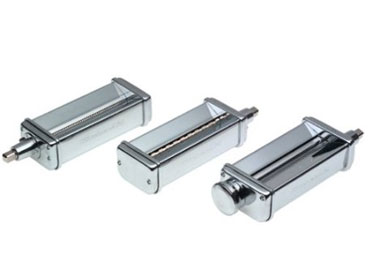
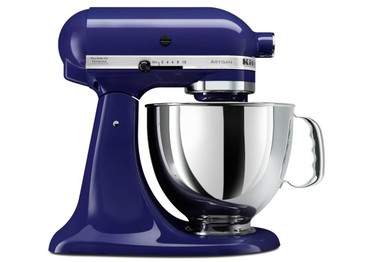
KitchenAid Artisan Series 5-Quart Mixer, Cobalt BlueKitchenAid Pasta Roller Attachment

Directions:


  • Place eggs, water, flour and salt in mixer bowl. Attached bowl and flat beater. Turn to speed 2 and mix for 30 to 60 seconds. Add more water if the dough is too dry, in 1/2 Tablespoon increments.
  • Change out the flat beater for the dough hook. Turn to speed 2 and knead for 2 minutes. Remove the dough and knead by hand for 2 minutes. Let it rest for 20 to 30 minutes.
  • Cut dough into four pieces before processing with pasta sheet attachment. Take one piece and flatten into a rectangular shape. Adding flour to both sides. Be sure to cover the other pieces. Attach the pasta sheet roller to your stand mixer and set it to #1. Turn on the stand mixer to speed 2 and run the pasta dough through the pasta sheet roller. While on #1, fold the dough in half and run it through again. Do this several times.
  • Adding a little bit of flour on each side of the dough again, change setting to #2 and pass the pasta dough through the sheet roller. Do this twice and then twice each on #3 and then #4. If you want thicker dough, don’t do the #4 setting.
  • Once again, add flour to each side of your long pasta sheet. Change the attachment to your spaghetti or fettuccine cutter and turn on to speed 2. Run the pasta sheet through and with your left hand, hold on to the pasta as it comes through the cutter. Allow pasta to dry for a few minutes before boiling.
  • When boiling your pasta, it only needs 3 to 7 minutes to boil.

You can get a Kitchenaid mixer and all of it’s various attachments on DealDash. Just click this link here and it will take you to the auctions. If pasta making sounds fun but maybe a little too ambitious check out DealDash’s Kitchen & Appliances section and perhaps you can find a fun new kitchen gadget that’s more your speed.

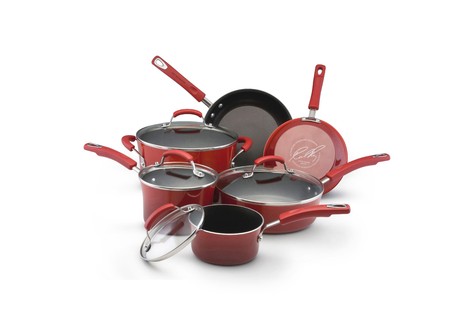
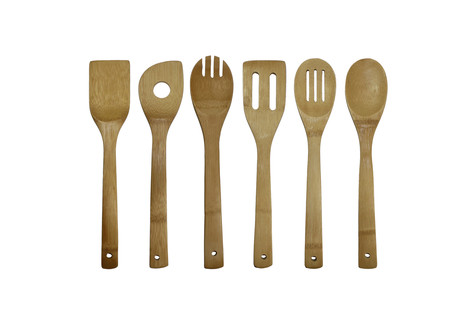
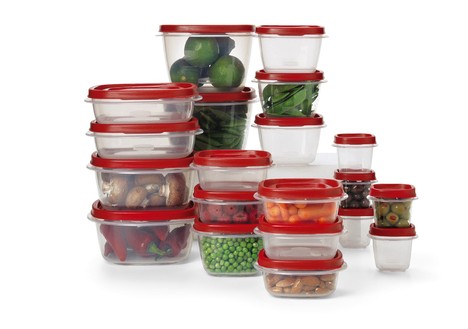
Rachael Ray Hard Enamel Cookware 10pc set (2-tone Red)Oceanstar 6 Piece Bamboo Cooking Utensil SetRubbermaid 40-Piece Food Storage Set

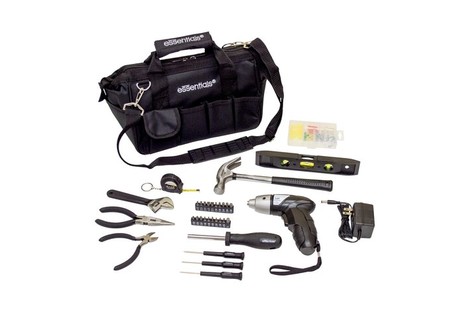
If cooking really isn’t your thing, how about using your extra time off from work (assuming you get holiday time off!) and do some of those extra projects around the house that you have been putting off for a while now? I can think of a few projects off the top of my head that need doing around my house, and I bet you can, too. If you’re really not much of a handy sort, how about getting a basic tool set from DealDash? You could get something like the Essentials 34 piece tool kit and have just about everything you need for a small project. You can find that auction, and other tool kit auctions at this link here.

Essentials 34-Piece Around the House Tool Kit with Screwdriver

If you’re more advanced in your handiness you could pick up something a little trickier to use such as a rotary tool set or even a hammer drill. Check out the Home, Garden, & Tools section here on DealDash and see what you can discover.

Of course, there’s nothing more fun than sitting down at your computer and just browsing all of the different areas on DealDash. Good luck and happy bidding everyone!


Great Christmas Gift Series: Let’s Talk Legos


Welcome to DealDash’s “Great Christmas Gifts.” series –  If you’re a person who struggles every year trying to think of gifts to get your family and friends, this series is for YOU!


Up until now we have mostly been talking about great Christmas gift ideas for older teens and adults. However, as everyone knows, the people who tend to get the most enjoyment out of Christmas is kids! Especially younger kids. In face, there are some grouchy people out there (Looking at you, Hubby!!) that think that Christmas gifts are JUST for kids!! Well, I don’t believe that, but I do think that shopping for kids can really be the most fun experience of the year, along with watching them open their presents on Christmas morning.

                                                                     1988

The first gift that I would like to highlight is really good for most ages of kids, as long as they are past the “putting things in their mouth” toddler stage – Legos! Every single kid that I have ever had the fun of interacting with loves Legos. When I was a kid back in the dark ages of the 1980s there really wasn’t a lot of Lego variety. They were mostly primary colors, and while they were unisex they were mostly marketed at little boys., though there were definitely some cool space sets that both genders could enjoy. Well, times have changed! Now there are Legos of every color, and so many different sets that encompass so many different interests of boys, girls, and both!

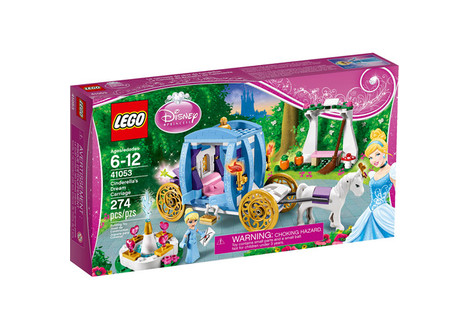
LEGO Disney Princess Cinderella's Dream Carriage Building Set

For example, above there is a picture of a great Lego set that was specifically targeted at girls that’s subject is Cinderella. It’s great for girls 6+, however my daughter has similar Lego sets that she absolutely loves and she’s only 4. Like I said, as long as kids are past the “chokables” stage of life, Lego is good for all ages. This Cinderella set is available for bidding at DealDash, check this link here.

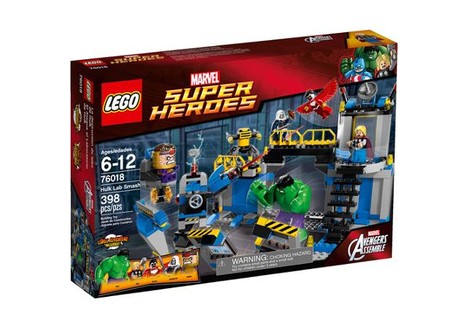
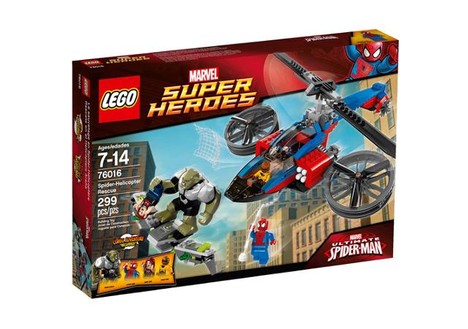
There are also Lego sets for super hero fans, such as this Hulk or Spiderman set, both available on DealDash at this link here.

LEGO Super Heroes Hulk Lab Smash Play SetLEGO Super Heroes Spider-Helicopter Rescue Play Set

There are also many other Lego sets that come up on DealDash, just click this link here and you will be taken to all of the current and upcoming Lego products that DealDash offers, including video games as well as character sets.

I hope that you enjoyed reading about Lego sets, and if you’re interested in bidding on anything Lego, or if you have another type of toy in mind check out the Hobbies, Toys, Outdoors, and Games section on DealDash. Good luck and happy bidding everyone!


1000 Free Bids go to…

The best photo of the week goes to Kim Grace Manor. Congratulations! You just won 1000 free DealDash bids for posting this great photo of the OTC 1545 Motorcycle Lift (valued at $333) that you won for only $0.42. Fantastic deal!

12308672_10207086744958853_39296651784540679_n

Have you collected your free bids for your posting your winning photos to Facebook? If not, you’re missing out on hundreds of free bids and a chance to win 1000 bids awarded weekly for the best photo.  Learn about how you can claim your free bids here.

Looking forward to seeing your photos!

Using the Features of the DealDash App for Android


If you’ve been following along with my DealDash app for Android blog series you are probably getting used to bidding on the go!

However, if you missed my first two blogs on the subject I will provide a quick refresher on the basics. If you already know how to download and open the app on your Android phone, please skip down to the bottom and I will explain a few of the features that are available on the DealDash app.

If you haven’t yet downloaded the DealDash app for Android, please start off by going to Google Play. You can do this on your computer or phone browser if you like by going to this link.  Or you can just go to Google Play and type DealDash into the search box. However, the even easier way to get the app is to go to the Google Play app on your phone and type DealDash into the search box.

Verify that the publisher is indeed DealDash, and go ahead and find the green rectangle that says “install.” Just go ahead and click that button and wait for it to install on your Google Play app.

Once you have finished installing the DealDash app for Android you can click on it to open it up, and you should see a sign-in screen where you can put your regular DealDash sign-in name and password. You can choose to save this information so DealDash will automatically connect for you when you open up the app.

Now that everyone has installed the DealDash app let’s get down to the features that I haven’t explained yet. They are the exact same features that are found on the regular DealDash website, but they are shown a little differently with the app.

OpenFirst off, You’ll want to find the current open auctions. Just look at the top of your screen after you have signed in, and you will see the words All, Upcoming, Open, and Bookmarked. To find the current open auctions just click on the word “Open” at the top. This will bring up all of the items that are currently running for auction. Some of these items have already reached the $5 No Jumper limit and therefore are not eligible for bidding. Just check where it says “current bid”, and if it’s less than $5 then feel free to click on the picture to open up the bidding screen.

Upcoming

Next, you might want to see what auctions are coming up soon. Just look at the top of your phone screen, and you should see the word “Upcoming”. Just click on it, and you will be able to scroll through and see all of the items that are not only just about to start, but if you scroll long enough you should be able to see about 15 hours into the future.


Bookmarked


Another handy feature that you should make use of is the “Bookmarked” tab. It’s up at the top of your phone screen, also. When you have been browsing around the Open and Upcoming sections you might have noticed an outline of a star at the top right corner of each auction. If you click the star it will put it into the Bookmarked section of your app for you. That way, if you find something that doesn’t start for a few more hours into the future you can still keep track of it. Just click on the Bookmarked tab, and they will be there for you.


Winner

The last feature that I am going to explain is the “Winners” tab. It’s very similar to the Winners tab on the desktop site – just click it and you will be able to scroll through hours and hours of awesome DealDash wins!


I hope this helped some of you Android-loving  DealDashers! If you’re interested in reading even more tips and tricks check out the “Tactics & Tips” section on DealDash. The DealDash app has saved me a ton of time and money. I hope you enjoy it! Good luck and happy bidding everyone!


Throwing a Christmas Party? Get Help from DealDash


Are you throwing a Christmas party later on this month? There’s still time to get some assistance from DealDash!


Planning any sort of party can be hard work, especially Christmas parties, because I feel like there is more pressure put on to make the “perfect party” so much more so than a regular dinner party. My family gets invited to a few Christmas parties every year, and since weekend time is limited in December sometimes I find myself picking and choosing which party to attend. I can only assume that other families have this same issue, so if people choose to attend a Christmas party of mine instead of someone elses’ that year I feel obliged to show them a good time! Let’s take a quick peek at how DealDash can help make things a little easier when planning your Christmas party.

Have you decorated the outside of your house yet? This isn’t a requirement, of course, but decorating both the outside and the inside of your home in a tasteful and classic way can make your party seem much more festive to your Christmas party goers. There are both Target and Wal*Mart gift cards available on DealDash almost daily, and they are always shipped quickly and safely. If I was in need of more decorations I would bid on these gift cards and take advantage of some of the great sales that these places are running through Christmas and get some great decorations. You can find the gift cards at this link here.


Another part of having a great Christmas party is having great food, of course. If you have been paying attention to this blog in the past month or so you might have read my Thanksgiving blog. This blog can give you some pointers and ideas for making “real food” which can be found at this link here. However, in this blog I wanted to mention that it would be wonderful to bake some homemade Christmas cookies for your guests to eat at the party, or even make up small bags of them and send your guests home with cookies. Making cookie dough is infinitely easier of you have a great quality stand mixer like the KitchenAid. My daughter and I used mine this past weekend to make Christmas cookies, and even though I am 8 months pregnant and exhausted making the cookies this year with my KitchenAid was a breeze compared to last year when I had an inferior mixer. You can check out the different colors of KitchenAid stand mixers that DealDash has at this link here. I have the hot pink one! If you are in need of anything other kitchen supplies besides the mixer check out DealDash’s Kitchen & Appliances section.


I hope that these tips got you thinking about what an enjoyable and memorable Christmas party might entail. If you are looking for any more supplies for your party definitely check out DealDash – Don’t forget to get the mundane things such as extra paper towels, toilet paper, and tissues. Check the Home, Garden and Tools section at this link here, you wouldn’t want to run out while company is over! Good luck and happy bidding everyone!